Online training providers are increasingly under pressure to provide quick-to-market, easy-to-implement solutions that avoid cumbersome learning management systems. At the same time, the proliferation of devices and apps has created an environment where solutions have to be simple and elegant enough to work on many devices in situations where bandwidth can be a challenge. This case study examines the experience of UWINPro, who offers training programs in SAP for companies that use SAP for database integration and management. They have been using ProProfs.com and are sharing their experience here.
1) Can you tell us briefly about your company and your relation to e-learning?
We at UWINPro (www.uwinpro.com) are one of the leading IT Training providers in Canada. We offer Online Training programs to our globally located corporate clients in the fields of SAP, UNIX and ERP courses. We have been focusing on SAP courses like SAP CRM, SAP HANA, SAP BOBJ, SAP ECC, SAP SRM etc.
2) In what ways have you used e-learning while developing your online training programs?
We are using elearning to offering online access to training courses. Currently we are using ProProfs (http://www.ProProfs.com/training) for developing our e-learning courses. To create a comprehensive and an engaging learning experience we use different components inside the courses such as PPTs, Videos, Mind maps, Flash cards, Quizzes and Surveys. These courses can then be accessed by our learners anytime / anywhere at their own convenience.
We use multiple ProProfs products such as Training Maker, Quiz Maker, Survey Maker and Flashcards to create elearning courses.

3) Do you think that online training still has many hurdles to overcome? For instance can online assessments, which are a major part of online training, be trusted?
Most of the online training software do not work across multiple devices, so a learner using a laptop might be able to access the training program, while someone trying to access the same training program from an iPad might not. A successful online training program must take into account that learners are geographically dispersed and use different devices.

As for online assessments, they are an integral part of online training without which you cannot test the learning of trainees. Again, online assessments need to be device compliant as well and there are a number of ways in which you can make online assessments secure. You can use privacy control features such as password, availability protection & ID verification. You can also prevent cheating in online assessments through settings available, for example features such as timed assessments, question pooling, randomized question order, answer shuffling and more. With the help of technology, it’s possible to make online assessments completely secure.
4) What is ProProfs Training Maker?
ProProfs Training Maker is an online tool to develop e-training courses by incorporating training materials like PPTs, PDFs, Docs, Pictures, Videos, Quizzes, YouTube videos etc.
Since the Training Maker also includes the Quiz Maker, we have found it easy to create assessments and attach them to our e-courses. Besides this, there are a numbers of key features within Training Maker which you can use to create e-training courses.
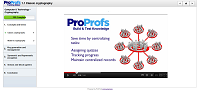
5) What are the key features?
Well, our use of the features vary with the requirements of each course but on a broader scale the key features are:
• Reporting & Tracking: We use this to track and capture the information of learners taking our courses. The information can be the name, email, phone as well as the data of individual course takers through which we check compliance issues and defaulters.
• Embedding YouTube Videos & Web links: Since today’s learners want their classes to be more interactive, we import YouTube videos and other web content, through ProProfs platform, to enhance our training course. These training courses can be easily embedded on our website www.uwinpro.com and added to the existing content in our website
• Use Existing Material: We like that we are able to create courses using our own existing training materials such as PDFs, PPTs, videos and documents. We also use the existing quizzes in Quiz Maker as it helps in creating assessments quickly.
• Mobile Compliance: With more and more learners using smartphones to access the training programs, all of our course are accessible from any mobile device by leveraging the in built HTML5 conversion in ProProfs.

6) Can you give a few examples of successful implementation?
We have successfully developed few of our SAP training courses and Quizzes, which are also embedded on our website. Visit http://www.uwinpro.com/interactive.html and http://www.uwinpro.com/quiz.html for more details.
7) What is the future of online training? How do you think it can be improved?
With the upsurge in smartphones and tablets, a geographically dispersed workforce prefers online training rather than the traditional brick-and-mortar classroom. Online training courses are ideal for a geographically-dispersed workforce, as they can take the training from anywhere, anytime and also saves companies the costs on transportation, lodging and trainer fees. Companies have realized this and many are rapidly adopting online training programs to train their employees.
Moreover, online training has become a better, cheaper and faster way of spreading theoretical knowledge and technical know-how for companies as well as educators. So, I think that online training will become the primary channel to teach and share knowledge in the coming years.
The improvement has to be on the interaction side – many learners are still not used to interactive online training and may have some initial learning curve with certain features like online whiteboard. In terms on improvement in Training software, we would like to incorporate advanced security features so that multiple instructors from different parts of the world can securely create courses together and collaboratively.
E-Learning Corgi focuses on distance training and education, from instructional design to e-learning and mobile solutions, and pays attention to psychological, social, and cultural factors. The edublog emphasizes real-world e-learning issues and appropriate uses of emerging technologies. Susan Smith Nash is the Corgi's assistant.
Showing posts with label learning management. Show all posts
Friday, September 28, 2012
Tuesday, February 26, 2008
Haiku: Web 2.0-Friendly LMS Encourages Interaction, Portfolio Development
While most learning management systems encourage interaction, very few incorporate Web 2.0 applications in a functional, easy-to-use, integrated way. The Haiku learning management system (http://www.haikuls.com) has built in Web 2.0 applications, which creates a friendly environment for users who are probably already familiar with the popular applications. Because Haiku has carefully selected applications that respond to learning preferences, a robust and solidly grounded instructional strategy is possible, as students and teachers incorporate audio, video, images, and other multimedia. The drag-and-drop feature makes it possible to share the resources in many places, including the discussion board. Finally, courses and schools that emphasize mastery learning and portfolios can combine the Web 2.0 applications, even using them in conjunction with Haiku's easy-to-use assessment, dropbox, gradebook, and calendar functions.

The platform is very attractive, and extremely user-friendly, which makes it appealing for young users in primary and secondary schools. In addition, the friendly interface makes the learning management system appealing for other organizations, such as not-for-profits and corporations, which may need to find platforms that appeal to users who primarily use their computers for the Web 2.0 applications such as photo sharing, videos, and podcasts.
Subscribe Free
Add to my Page
Ideas for Web 2.0 applications in Haiku:
Flickr: Allows students and teachers to create photo albums in Flickr and then to share them with the course. This is perfect for portfolio development, and encourages students to create and share files. In addition, it is possible to search with key words and to find photos that align with the course content.
Odeo: The teacher can subscribe to podcasts that illustrate and augment the course content. An example might be a course in social problems and/or the family, where numerous podcasts are available. An example might be This American Life (http://www.thisamericanlife.com/), where although the podcasts are not free, they are affordable.
Frankly, it is a relief to see an audio file-sharing application other than iTunes.
Here is an example of an Odeo feed: http://odeo.com/channel/1359/view
YouTube: It is amazing what one can find on YouTube these days. I've been very impressed with some of the math videos. For example, Video Math Tutor http://youtube.com/user/videomathtutor has very clear and enjoyable basic math videos.
GoogleVideo: There are a number of videos that are available via GoogleVideo that are not available via YouTube.
Here is an example of a video from a creative writing course entitled "The Heart Journal." http://video.google.com/videoplay?docid=9166315927326276885&hl=en
Finally, it is possible to subscribe to services and to download and share video and audio from other sources, including repositories of instructional media, such as Learning Portal. http://www.learningportal.com/ Here is an example of a downloadable novel: http://www.learningportal.com/Detail.aspx?id=WOuEzOJLJCZd59SDD%2fLY5g%3d%3d.

An example of a corporate training series is the "Basics of Customer Service," located here: http://www.learningportal.com/Detail.aspx?id=81ZXFfr9vMB9A1OtiEsZ9g%3d%3d.
Have a Plan, Avoid Distractions:
Web 2.0 applications encourage interaction and help create conditions in which learning can take place. They can motivate and pique one's interest. However, they can also be extremely distracting if not incorporated as a part of an overall instructional design that clearly points to how the media will be used to achieve learning objectives.

The same can be said for discussions. Discussions can be very productive, but if the questions are not designed well, the discussion board can easily frustrate people as the students answer the same questions and/or respond with the same yes or no answer. Prompts should inspire sharing and rehumanize the elearning space.
Gcast.com I'd like to mention that although Gcast.com is not incorporated in Haiku, it is a very easy way to add a podcast even if all you have is a phone. Today's podcast was recorded using my phone, and posted. The player html code is extremely easy to embed.
Final thoughts: I'd like to say that I believe that Haiku is an example of what we'll see in the future. Instead of having to swim through the huge number of Web 2.0 applications, Haiku simplifies the task by focusing on functionality and ease of use. Simplicity seems quite zen-like -- appropriate for this very elegant learning system.

The platform is very attractive, and extremely user-friendly, which makes it appealing for young users in primary and secondary schools. In addition, the friendly interface makes the learning management system appealing for other organizations, such as not-for-profits and corporations, which may need to find platforms that appeal to users who primarily use their computers for the Web 2.0 applications such as photo sharing, videos, and podcasts.
Subscribe Free
Add to my Page
Ideas for Web 2.0 applications in Haiku:
Flickr: Allows students and teachers to create photo albums in Flickr and then to share them with the course. This is perfect for portfolio development, and encourages students to create and share files. In addition, it is possible to search with key words and to find photos that align with the course content.
Odeo: The teacher can subscribe to podcasts that illustrate and augment the course content. An example might be a course in social problems and/or the family, where numerous podcasts are available. An example might be This American Life (http://www.thisamericanlife.com/), where although the podcasts are not free, they are affordable.
Frankly, it is a relief to see an audio file-sharing application other than iTunes.
Here is an example of an Odeo feed: http://odeo.com/channel/1359/view
YouTube: It is amazing what one can find on YouTube these days. I've been very impressed with some of the math videos. For example, Video Math Tutor http://youtube.com/user/videomathtutor has very clear and enjoyable basic math videos.
GoogleVideo: There are a number of videos that are available via GoogleVideo that are not available via YouTube.
Here is an example of a video from a creative writing course entitled "The Heart Journal." http://video.google.com/videoplay?docid=9166315927326276885&hl=en
Finally, it is possible to subscribe to services and to download and share video and audio from other sources, including repositories of instructional media, such as Learning Portal. http://www.learningportal.com/ Here is an example of a downloadable novel: http://www.learningportal.com/Detail.aspx?id=WOuEzOJLJCZd59SDD%2fLY5g%3d%3d.

An example of a corporate training series is the "Basics of Customer Service," located here: http://www.learningportal.com/Detail.aspx?id=81ZXFfr9vMB9A1OtiEsZ9g%3d%3d.
Have a Plan, Avoid Distractions:
Web 2.0 applications encourage interaction and help create conditions in which learning can take place. They can motivate and pique one's interest. However, they can also be extremely distracting if not incorporated as a part of an overall instructional design that clearly points to how the media will be used to achieve learning objectives.

The same can be said for discussions. Discussions can be very productive, but if the questions are not designed well, the discussion board can easily frustrate people as the students answer the same questions and/or respond with the same yes or no answer. Prompts should inspire sharing and rehumanize the elearning space.
Gcast.com I'd like to mention that although Gcast.com is not incorporated in Haiku, it is a very easy way to add a podcast even if all you have is a phone. Today's podcast was recorded using my phone, and posted. The player html code is extremely easy to embed.
Final thoughts: I'd like to say that I believe that Haiku is an example of what we'll see in the future. Instead of having to swim through the huge number of Web 2.0 applications, Haiku simplifies the task by focusing on functionality and ease of use. Simplicity seems quite zen-like -- appropriate for this very elegant learning system.
Subscribe to:
Posts
(
Atom
)
Blog Archive
- 2026 ( 19 )
- 2025 ( 30 )
- 2024 ( 6 )
- 2023 ( 7 )
- 2022 ( 17 )
- 2021 ( 13 )
- 2020 ( 15 )
- 2019 ( 25 )
- 2018 ( 25 )
- 2017 ( 20 )
- 2016 ( 28 )
- 2015 ( 35 )
- 2014 ( 24 )
- 2013 ( 28 )
- 2012 ( 34 )
- 2011 ( 31 )
- 2010 ( 23 )
- 2009 ( 35 )
-
2008
(
61
)
-
June
(
7
)
- Jun 27 ( 1 )
- Jun 19 ( 1 )
- Jun 17 ( 1 )
- Jun 16 ( 1 )
- Jun 12 ( 1 )
- Jun 09 ( 1 )
- Jun 05 ( 1 )
-
May
(
7
)
- May 26 ( 1 )
- May 22 ( 1 )
- May 15 ( 1 )
- May 11 ( 1 )
- May 09 ( 1 )
- May 05 ( 1 )
- May 01 ( 1 )
-
June
(
7
)
-
2007
(
27
)
-
December
(
13
)
- Dec 27 ( 2 )
- Dec 24 ( 1 )
- Dec 23 ( 1 )
- Dec 19 ( 1 )
- Dec 17 ( 1 )
- Dec 16 ( 1 )
- Dec 10 ( 1 )
- Dec 06 ( 1 )
- Dec 05 ( 2 )
- Dec 03 ( 1 )
- Dec 02 ( 1 )
-
December
(
13
)
- 2006 ( 4 )
- 2005 ( 5 )