Showing posts with label e-learning. Show all posts

Monday, December 02, 2024

Rosa Bonheur's The Horse Fair: Representations of the Fight for Freedom - Revolutions and Rights of Women?

 Over a three-year period, 1852 – 1855, French painter Rosa Bonheur filled a massive canvas, 8 feet tall and 17 feet wide, with a group of gorgeous white Lippizaner stallions, a dark black horse, and other brown horses, passionately in motion in a field surrounded by trees and bordered by a dirt road, ostensibly a horse market. Now, Bonheur’s The Horse Fair is housed at the Metropolitan Museum of Art in New York City.  It is remarkable for a number of reasons.  First, it is by a woman artist, one who was classically trained, but who was not allowed in the studios for “life art” with nudes. So, she painted animals, even dead ones at the butcher shop.  Second, its size is quite large, on par with Rembrandt’s The Night Watch and Tintoretto’s Gloria del Paradiso (1588-1592).  

However, instead of depicting a religious scene or memorializing the wealthy members of society, Bonheur dedicates the large canvas to animals. They are not even in battle or doing anything heroic; they’re simply behaving as spirited horses will at a horse fair. Men are trying to handle and control them, but the horses are winning. According to the conventions, there were four genres of painting, and they had a hierarchy.  First, were the historical paintings which would feature important battles, scenes from religious stories, allegorical or other subjects of overweening importance.  Next were portraits, which were supposed to be of aristocracy, religious figures, or members of the upper class. Next came genre painting, which would include scenes of everyday life.  Fourth in the hierarchy was landscape painting, which could also include cityscapes. Animal painting was fifth, and the final and lowest on the list was still life.


Rosa Bonheur, The Horse Fair (source: Wikipedia)

One example of historical paintings from the Renaissance makes one aware of the way they convey culturally normative messages. Gloria del Paradiso (1588-1592) by Tintoretto which is the largest painting of the Renaissance at around 28 high and 80 feet wide.  It depicts Dante’s Divine Comedy, and all the characters one finds in Dante’s Paradiso. When it comes to depicting a whole cast of characters, and a cosmology, give me Hieronymus Bosch. His Garden of Earthly Delights and also Ship of Fools are so complex and filled with visual metaphors and stories, that one could stay and contemplate them for hours.

What made Bonheur’s painting so shocking in terms of genre?  She made an animal painting in the same size and format as a history painting, with the battle being between the handlers and the horses. What were some of the underlying thoughts that would come to mind?  The first that come to mind are those of freedom and liberty – the horses are struggling to be liberated from their bits and ropes. In this sense, the canvas is definitely allegorical, particularly given that moment in history, with anti-monarchist sentiment in Europe.  Given that interpretation, Bonheur’s painting could have been dangerous. The Revolutions of 1848 spread through Europe, starting in Sicily, the going to Italy, Germany, and France, where the repressive, authoritarian “July Monarchy” was toppled.  In the other countries, the revolutions failed, and the miserable conditions of the people continued, with poverty, income inequality, brutal authoritarianism, and lavish / wasteful spending by the monarchies and nobility. Bonheur’s rebellious horses rise and writhe, but they are in the process of being brought back under control.


Saturday, July 09, 2022

How will Moodle 4.0 affect Human Logic and other Moodle Partners?

 Moodle 4.0 has been released and it represents a tremendous breakthrough. The upgrade has focused on improving the user experience while keeping the best of the legacy resources and activities, as well as the overall framework. 

The result is a dynamic, revitalized platform that can energize learning programs so that students are more engaged and more likely to succeed. It's also a big "plus" for certificate programs and applied learning because bridging theory and application is easier than ever. 


Moodle 4.0 offers an almost infinite range of new opportunities for interaction, assessment, and commercialization of training and education

What does Moodle 4.0 mean to award-winning Moodle partners such as Human Logic? Human Logic, based in Dubai, United Arab Emirates, has earned a great reputation for corporate e-learning as well as providing integrated solutions for universities and technical institutes. 

The first thing that the new interface assures is that students can more easily keep track of their work, see what is coming up, and to interact with their fellow students, collaborators, and instructors. That is a very important aspect, particularly in highly technical collaborative training for industries such as energy, manufacturing, and supply chain management. 

The new interface and user experience (upgraded dashboards, redesigned mobile interface, etc.), is fantastic for young learners because it makes it easier for them to work with their parents and tutors as well as their core teachers. 

Finally, the fact that Moodle is open source means that it's possible to customize solutions so that they align with the specific goals and mission of the organization and the learners. 

Please stay tuned! This will be one of many articles about the fantastic capabilities in Moodle 4.0! 

Susan Nash

Susan Smith Nash, Ph.D. 


Wednesday, August 12, 2015

Infographics as Working Memory Boosters & Engagers for Learning

Infographics can serve a unique purpose in an online course or training program in that they both engage learners and provide a very handy mnemonic which assists in the storing and retrieving of information.

Infographics are easily incorporated into courses, and can be deployed via social media and within learning management systems. Further, it is a simple process to store your infographic in a cloud-based repository such as SlideShare (slideshare.net) which allows links, embeds to an easily downloaded pdf, along with allowing you to share accompanying notes and information.

For an audio recording, click here.

Here are two examples which were used for the petroleum industry, where it is often challenging to communicate information cogently and without clutter.
http://www.slideshare.net/beyondutopia/geology-and-engineering-mustknow-realities-for-reservoir-development

Geology vs Engineering Reservoir Realities
http://www.slideshare.net/beyondutopia/geology-and-engineering-mustknow-realities-for-reservoir-development
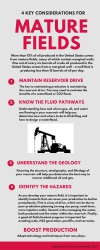
http://www.slideshare.net/beyondutopia/four-key-considerations-for-mature-fields
 4 Considerations for Mature Fields
http://www.slideshare.net/beyondutopia/four-key-considerations-for-mature-fields

Working Memory and Infographics
Baddeley and Hitch (1974) described the mechanism used by short-term memory as a process they denoted as “working memory.” In their view, working memory is a process driven by the “central executive” which collects, temporarily stores, and directs data to the cognitive subsystems of the a) visuo-spatial sketch pad, and the b) phonological loop.

As a highly visual artifact with engaging and unique organization of visual information, an infographic is an ideal tool for facilitating the smooth functioning of working memory.

The central executive can easily incorporate a well-designed infographic in the visuo-spatial sketch pad, which is, in essence, the inner eye.  The visual spatial sketch pad not only functions in the retrieval process, it also is used in navigation – in locating spatially where information might be.

The central executive takes and replaces information in the visuo-spatial sketch pad, and then relates it to long-term memory. The central executive can move material back from long-term memory to working memory, so the infographic can be used not only to store new information, but as a memory-trigger to retrieve information from long-term memory.

Baddeley emphasized that the central executive also functions as a system to keep attentional processes engaged, and to continually organize and prioritize (McLeod, 2012). It can also relate processes together, so that a infographic that is primarily attached to the visuo-spatial sketch pad, also can be related to the phonological loop processes.

Guidelines for Developing Infographics for Working Memory

1.  Keep your information tied to one or two categories 
2.  Use a clear color scheme
3.  Avoid clutter
4.  Maintain a minimal main message
5.  Connect / refer to details (don’t include all the details in the infographic)
6.  Use colors, white space, lively design
7.  Use phone, tablet, and laptop-friendly hosting / delivery
8.  Make your infographic multi-purpose, reusable
9.  Encourage sharing / comments / collaboration

Tools for Building Infographics
Infographics were originally designed almost exclusively by graphic designers, but now there are a number of free and premium services that provide cloud-based services that include professionally designed templates which utilize unique graphics, layouts, and fonts.

Examples include:

Canva (www.canva.com): Templates and unique fonts / images for infographics and presentations.

Piktochart (www.piktochart.com): Templates, images for infographics, reports, presentations

PicMonkey (www.picmonkey.com): Photo-editing that also includes a number of unique fonts, images, and clip art, and easy creation of collages that can also be designed as infographics

Final Thoughts
Infographics can be very practical as well as engaging and fun. For example, if you save them as a pdf files and print them out, you may use the infographics as a point of departure for an impromptu mind map.

The key is to design with an eye to inspiring and triggering thoughts – about the present, past knowledge, and collaborations. Used well, infographics can be an effective tool for deep learning.

References

Baddeley, A. D., & Hitch, G. (1974). Working memory. In G.H. Bower (Ed.), The psychology of learning and motivation: Advances in research and theory (Vol. 8, pp. 47–89). New York: Academic Press.

Baddeley, A. D., & Lieberman, K. (1980). Spatial working memory. ln R. Nickerson. Attention and Performance, VIII. Hillsdale, N): Erlbaum.

McLeod, S. A. (2012). Working Memory. Retrieved from www.simplypsychology.org/working%20memory.htmlwww.simplypsychology.org/working%20memory.html

Monday, November 28, 2011

Reality Television-Inspired M-Learning: “Life Is Our Laboratory” Approach

Effective design for mobile learning courses requires a major shift in how one thinks of the learner's relationship to the content. Interactivity takes on a whole new dimension, as students create content to share and critique in close to real time. The key is to avoid sending students down a path where they will be more or less duplicating what the others have done. They need to be able to apply their knowledge and skills and to process them so that they make sense in real-life applications or simulations / scenarios.

One must keep in mind, too, that the new iPad, Kindle Fire, and other e-readers mean that students are likely to be able to read texts on the fly and develop more robust, course-related content more easily and conveniently than in the past.

Where does the student create content to upload and share "in the wild" with their mobile device (tablet, smartphone, handheld)? What are the best methods of sharing?

Protected social networking

Discussion prompts

Research repository (a thread in a discussion board area, or a location within social networking sites)

Shared photos / media

Portfolios / Final Projects / Lab Reports - (portfolio sites -- can use Faceb00k-type social networking for sharing collaborations)

Interviews / Observation: can be a combination of audio, video, graphics, and text files which can be uploaded within an LMS or in a dedicated social network site

Presentations (PowerPoints / KeyNote slides, potentially animated using captivate)

Implications for Instruction

Student-developed content is exciting, dynamic, and encourages interaction; it also encourages creative development of content.

  • Originality is paramount. Avoid plagiarism.
  • All students must be mindful of the fact that fellow students' work may or may not be accurate; just because it's on the web (posted in a site) does not make it credible; nor are all the links and resources necessarily reliable. It's a great opportunity to practice critical thinking skills.
  • Students will need clear guidelines re: size of files and where to upload.
  • Content guidelines – be sure to let students know what’s not okay.
  • Privacy issues when gathering information and sharing information
  • Social Construction of Reality – what is real? Who decides?
  • Simulacra okay? Use faux persona, etc. when dealing with actual persons / places / products could be too sensitive.

Reality TV-inspired Mobile Learning

Psychology / Sociology

Example: Real Housewives of (fill-in-the-blank)

Your own: Social Relation Drama

Humanities

Example: History Channel programs

Your Own: “History Needs a ReDo!”

Go to historical sites and ask tough questions / debunk and challenge current beliefs. Find out what most people think.

Biology / Animal Behavior

Example: Fatal Attractions (When pets become predators/ exotic pets turn on their owners)

Your own show: "Biting the Hand... Can You Trust Your Companion Animal?" (Chronicle the life of your own pet … is there any reason to start fearing your own Siamese cat, Chihuahua, Laborador retriever, pit bull?)

Earth Science / Environmental Science

Example: Swamp People on the History Channel (history.com)

Your own show: Meet the Frackers – show different sides of the controversy surrounding hydraulic fracturing in shale gas wells

Criminal Justice

Example: Steven Seagal - Lawman

Your own show: Quirky Laws! (Research laws that are on the books and which reflect the life and times of communities in transition. Do they apply today? Why? Why not?)

Friday, October 07, 2011

Interview with Joe Landsberger, Website Study Guides and Strategies

Welcome to an interview with Joe Landsberger, who has put together extensive online study guides and study tools to meet the needs of students everywhere. While courses can be relatively easy to find and OpenCourseWare more prevalent, it is often difficult to find effective study tools, particularly in different languages.

Joe Landsberger:
For the past 16 years, I have researched and authored content, as well as developed and financially supported its Website Study Guides and Strategies. This stemmed from my professional and educational background in assisting learners and developing training modules in a university setting, as well as discovering the educational potential of the Internet back in the early 1990’s. In a chance encounter with an academic support professional at a conference, I discovered that a Website should be a useful tool delivering study strategies in a learning center environment. With publication of those first pages in a Website, I immediately began to receive appreciation from developing countries. A cadre of dedicated volunteer translators and collaborations also emerged to where its resources are translated in 39 languages.

Joe Landsberger
Study Guides and Strategies

Over 250 topics in content have been developed. Some have been developed as part of a logical sequence, some by chance encounters identifying a need, and even a few by request. They include options in learning as types, in the classroom, with others, online; time and project management; test preparation and taking; reading and writing guides. Each Webpage adheres to a similarly bulleted style and format in a consistent design and navigation template, which is of course reversed for right-to-left text as Arabic, Hebrew, and Persian.

Initially the content was verbal without images, but as capabilities progressed more were illustrated. In 2003 Flash was deployed in order to facilitating engagement with content, and over 100 interactive exercises are now online as well. Aside from developing these exercises, another effort toward enhancing the effectiveness of the resource has been made to group, and even sequence topics. One limit to the singular nature of the Website, is that there is no institutional affiliation, which impedes research into determining effectiveness or in terms of outcomes, and also limits my opportunities for funding (while a public service, the organization is not non-profit, just without profit!). However, over 60,000 (educational) institutions link to the site worldwide, and traffic has continued to grow each of its 16 years, currently increasing at 23% in 2011 to over nine million visitors.

Due to the anonymous nature of the Internet, it has been difficult to gauge characteristics of visitors, whether student, teacher, support professional or parent. Alexa.com however presented this profile (December 2010): "Compared with internet averages the site's audience tends to be aged under 25 and 55-65; they are also disproportionately low-income, moderately educated, childless women browsing from school and home." English accounts for about 80% of pages accessed. Interestingly, only about 5% of visitors use handheld/mobile devices.

Approximately 51% of traffic originates in the US, 6% the Philippines, 4% Canada, 3.6% Mexico, 3.5% India. Over the years the international traffic has increased as more guides are translated. One curious source of traffic originated in a developing country. When I inquired from a researcher the reason, he stated that the guides seemed research-based, freely accessible, and that his country did not have the resources either to develop them, or to provide academic support in school settings.

Aside from adding topics, translations, and exercises future projects will respond to advances in technology. Recognizing the limitations of Flash and evolving standards and specifications for web-based e-learning (SCORM), I eagerly await HTML5, as well as other applications and developments in promoting interactivity for the topics and content of the Website.

Currently all 1500 pages of content are being migrated into CSS, with 20 of 39 languages completed. This effort has magnified the limitations of myself as developer. I had to dedicate several months of time not only to assess the next iteration, but also, lacking any collegial environment, teach myself the development and implementation. This last has involved a line-by-line review of not only code, but also the content itself. Foreign languages presented a unique challenge that was remedied by machine translators and Internet searches to verify and optimize text!

Sunday, May 23, 2010

Interview with Sameer Bhatia, ProProfs.com: E-Learning Innovators Series

Effective assessment in an online course is not easy to achieve. Courageous developers have tackled online quizzes. It is interesting to look behind the scenes and see the challenges. Welcome to an interview with Sameer Bhatia, founder of ProProfs.com.

1. What is your name and your involvement in e-learning?

I am Sameer Bhatia, the founder of ProProfs.com, an online learning community. Prior to ProProfs I ran an IT certification products company that has been in the business of providing e-learning centered around Cisco certification products.


2. What is ProProfs.com and the learning philosophy behind it?
ProProfs.com is the knowledge FREEway, providing free resources and tools for online knowledge sharing. ProProfs is dedicated to offering new services and content that reflects the diversity of interests and topics in which today's users are engaged. Founded on the idea that knowledge should be freely available to people from all walks of life, ProProfs.com features free schools on SAT & IT certification, and offers an ever increasing portfolio of tools for social knowledge sharing including quizzes, flashcards, blogs, forums and games.

3. What is your view of how best to assess whether or not students have achieved learning outcomes in an online course?


We created ProProfs Quiz Maker (http://www.proprofs.com/quiz-school/) to address this need. By allowing educators to create tests, practice questions and quizzes around any topic and then embed them directly into their class websites, learning management system or e-learning courses, we allow educators to ascertain if students are achieving the learning objectives. We also aggregate the data across all attempts so a teacher can better understand what areas of learning the class as a whole needs more attention on.

4. How might assessing if students have achieved learning outcomes be different in a mobile learning course?

While content created using Quiz Maker (http://www.proprofs.com/quiz-school/) displays fine in most mobile browsers, we are in process of creating a special version so assessments can be distributed to a classroom easily via mobile devices such as iPhone and iPad. Watch out for this in our upcoming version.

5. what is Quiz Maker and how does it work?
ProProfs Quiz Maker ( www.proprofs.com/quiz-school/) is a free learning tool that enables educators to utilize the power of the Internet to create online quizzes and practice tests for their students. The Quiz Maker provides an easy access for students and educators, without the hassle of downloading bulky software. In addition to the ability to create custom quizzes, we also offer the largest collections of freely available online quizzes, ranging from K-12 education to topics such as technology certification, SAT, GRE and even general trivia.


6. Are there any really bad quizzes or quiz styles that should be avoided at all costs? If you don't mind, describe a very bad (ineffectual or even potentially problematic) quiz and then compare it with a very good quiz. What makes the difference? What do instructors and instructional designers need to keep in mind?

One of the key issues we have seen is the choice between long/short quizzes. Educators need to choose the test style after careful consideration. Long tests have their place in education; for example, many instructors use them during mid-terms or finals. However, to ensure that students are understanding the material, short quizzes in practice mode (with answers revealed immediately after a question is attempted) work much better. These create a stress free environment and students feel encouraged to take the quiz repeatedly. The repetition brings remembrance and helps students master the subject. Using short quizzes in conjunction with larger tests for mid/end of term, have reported strikingly positive results.
With a lot of feedback from teachers we have built features to allow secure & timed long tests as well as short quizzes that can be run in practice mode with customizable results to make learning fun. Educators however need to choose carefully based on the learning objective.


7. Do you have any plans for the future?

Our next version will be available in just a few weeks. Key features would include tracking of who took the quiz, ability to store results and provide more customization of end of quiz results.


8. Please share the name of two good books you've read lately.

The Four Steps to the Epiphany by Steven Gary Blank is a must read for entrepreneurs. The other book I read recently is Rework by Jason Fried & David Heinemeier Hansson. While both these book are not directly related to e-learning, they have had a big positive influence on how we build our e-learning products. We have stepped up on our feedback loop with educators to ensure we build something that they totally love.

Thursday, April 08, 2010

Creating Webinars Using Open Source Software

Do you want to hold a webinar, but want to save money by doing it on your own? An updated list of sources can be found here. As speed and bandwidth restrictions continue to be reduced, and travel costs and time away from the office continue to be problematic, webinars are being incorporated into education, professional development, training, and team-building.

Don't Miss the Updated List of Open-Source Webinar Software and Platforms!
http://elearnqueen.blogspot.com/2011/05/opensource-webinar-software-updated.html

Open Source software can be a great solution when there is sufficient programming and network support expertise to be able to deal with some of the challenges of beta-level (or even alpha) software. However, the rewards of open source can be significant for those wishing to maintain control, develop a brand image, reduce monthly operating costs, and to even offer hosting / repackaged solutions for a specialized niche market.

For colleges and universities, the webinar format can be a wonderful way to present guest lecturers, and to discuss research design, particularly for sociology, psychology, and earth sciences. For corporations and professional associations, the webinar format can be effective. It is important, however, to plan well and to avoid common pitfalls.

Assemble your own "rough and ready" webinar?
It could be possible to simply broadcast a live event using ustream (http://www.ustream.tv/) while simultaneously using MSN or AIM for chat and discussion capabilities. This could result in a haphazard event, with archives of the chat avaialable in a different place than the archived video. However, it's a "rough and ready" way to do a webinar if you want to stay free, and not have to progress to a for-pay version of gotomeeting, skype, webex, omnovia, elluminate, and other providers of web conferencing and synchronous web training.

OpenSource Webinar Software
(please note that these products have been reviewed, but not installed and tested by e-learning queen).

vmukti
http://www.vmukti.com/

VMukti is an open-source, cloud-based high definition video conferencing communication suite, which has three main features:
Live Video Streaming and broadcasting
Web Conferencing and Collaboration
Video Voip Telephony
In theory, VMukti offers live video streaming in an affordable, effective manner. Total video product on cost, Quality and Scalability. Server less, Client Less, Low cost, High Definition, Scalable, Failover.

Webhuddle
http://www.webhuddle.com/
-Small footprint
-Easy to use: client runs in web browser (no installation)
-Thin Client
-Secure
-Offers hosting services

OpenMeetings
OpenSource

http://code.google.com/p/openmeetings/
OpenMeetings is a free browser-based software that allows you to set up instantly a conference in the Web. You can use your microphone or webcam, share documents on a white board, share your screen or record meetings. It is available as hosted service or you download and install a package on your server with no limitations in usage or users.

BigBlueButton
BigBlueButton is an open source web conferencing system for distance education. It provides real-time desktop sharing, presentation, VoIP, webcam and chat.

WebConference Plugin for Moodle
Plug in WebConference Internet conferencing into your Moodle Learning Management System. This mod for Moodle 1.9.7+ will enable your moodle installation to add WebConference Activities to courses. Adjust seats, and schedule conference events.

The Ehizo Project --- Communication Suite
data & video-conferencing, one shared whiteboard, send text messages (IM), transfer files(FTP),collaborate in real time,email capablities,Plays and stores dvd,cd and Mp3. Web-based Internet directory,Remote Desktop Share,File sharing program & browser

1videoConference
http://1videoconference.com/
(modified from website) An Open Source web conferencing company, 1VideoConference is allows its Web, Audio/ Video phone, Skype, Msn and Yahoo users to instantly participate in live web conferences without the need for lengthy downloads or complicated installations. At any time, our host customers can simply drop a small piece of code onto their websites and create an online video conference room.

The beta version of 1videoConference is available at sourceforge.net for download and installation on one's own server. This is an opensource alpha version with known bugs and little aesthetic design.

*****
From the archives of fringejournal.com: "Feed the Bears Anyway"

Wednesday, January 06, 2010

New Directions and a New Decade for E-Learning: 12 Predictions

The new decade will be a time of great change in e-learning, and we're already getting a glimpse of it. Many of the changes are driven by new technologies, but even more are emerging in the aftermath of economic crisis, and the changes in the way people work, interact, and obtain information.

E-learning will be affected in many areas,

1. Continuing growth in online courses.
Colleges and universities will continue to expand offerings of online courses. This may surprise some, but a study by the Association of Public and Land-grant Universities-Sloan National Commission on Online Learning reports that more than one-third of public university faculty have taught an online course. The full report is available at http://www.sloan-c.org/APLU_Reports.

2. Focus on cross-disciplinary programs.
Programs that span disciplines to go into new high-growth areas such as primary-care health care, home health care, sustainable business, green technology, green building, and "smart" energy technology will continue to attract students.

3. Career-related courses will grow.
Career colleges that offer "green" trades, health care certificates and degrees, and training in emerging technologies and sustainable business will boom, particularly if they incorporate an apprenticeship or internship that leads to employment.

4. Budget challenges mean trimming add-ons in online courses.
Despite the growth in online courses and course offerings, there has been a decline in overall university budgets. Cost-cutting means furloughs for staff and administration, and trimming overhead costs. Many of the applications and "add-ons" that colleges used to purchase will be replaced by opensource solutions, integrated Web 2.0 applications, and simple (yet effective) substitutes.

5. Stimulus spending in technology impact to be felt.
The move to expand access to high-speed Internet and to improve information / energy infrastructure is already resulting in an uptick in usage of higher technology solutions. The "trickle-down" of smartboards and wireless connections will result in a higher percentage of web-enhanced courses as well as a conversion to digital resources, libraries, and learning object repositories.

6. More use of opensource software such as Moodle (http://www.moodle.orgg), DotNetNuke (http://www.dotnetnuke.com/), and Joomla (http://www.joomla.org/)
Moodle is already proving itself to be a hardy, flexible survivor in the LMS wars. DotNetNuke is an excellent social networking solution for organizations that can't afford the randomness of relying on LinkedIn or Facebook, but are not up to the high cost of Sharepoint. Joomla's content management flexibility allows people to wean themselves slowly from legacy systems, and to avoid high-cost custom solutions (Oracle, etc.). What's nice about Joomla is that it can power portals and websites as well. Python (http://python.org/) will continue to be a useful programming language for integrative solutions.

7. Mobile learning integrated into online courses for anytime, any place data access
Ubiquitous learning is gaining speed as the watchword of the new decade. Any place, any time, and -- this is most important -- any device -- will be key. Obtain information, interact, and share from multiple sources of information. Increased access is a given. What is less certain is how open the information will be.

8. Social networking starts to be used in e-learning to focus and filter information.
Controlled social networking that can be accessed via mobile device will continue to be very useful in the quest for ubiquitous learning solutions.

9. Twitter: enhanced student support in online courses and programs.
Finding how to harness Twitter to help develop learning communities is one of the most exciting challenges of the upcoming year.

10. High growth elearning programs in high-growth careers.
Health: Home health care, health care reform, primary care expansion, structural changes in medical care delivery and coverage
Business: Sustainable business, "green" business, new finance and private equity changes
Technology: "smart" technology that assists in the quest for energy efficiency, automation, robotics, control / monitoring
Energy/SmartGrid: control and monitor energy generation, use, distribution, infrastructure maintenance,

11. Expansion of online Advanced Placement (AP) programs, seamless integration of high school and college.

12. Webinar restructurings: Rise in synchronous (which are archived and available as asynchronous) modules used for training and in online courses.

Monday, August 24, 2009

Interview with Mark Luetzelschwab, BrainHoney: Innovators in E-Learning Series

Welcome to an interview with Dr Mark Luetzelschwab, of BrainHoney.com, a new learning management system that state standards into the entire teaching and learning process, which, in the past, has been a stumbling block as developers attempt to create K-12 courses for learners in different schools, or as colleges develop Advanced Placement courses for individuals in high schools in located in different states. Brainhoney automatically creates a curriculum map template, populates all of a person's state's standards, gradebook, and mastery chart. It is all web-based.

1. What is your name and your connection to elearning?


My name is Dr. Mark Luetzelschwab, BrainHoney. I have been involved with educational technology for 20+ years in a variety of areas including hands-on microcomputer labs, video analysis, multimedia tutorials, etc. I have focused on eLearning for last 10 years, with an emphasis on practical applications that are available to large audiences. I have also been an executive at a number of elearning startups that have grown to hundreds of thousands of enrollments across the globe. My PhD deals with expert facilitation of asynchronous discussions.

2. Please describe BrainHoney. What makes it unique? What is its structure?

BrainHoney uniquely integrates state standards into the entire teaching and learning process. Teachers track student progress against state standards; this data can be integrated with SISs and other data systems for administrator review. An automatic registration process is followed and then you may drag and drop curriculum mapping to state standards. BrainHoney creates a gradebook from the curriculum map and uses the data and alignment to generate day-by-day reports of student progress against state standards. In effect, the teachers get the same data daily the administrators get annually from state tests - in time to do something about it and provide intelligent intervention.


3. Who will use BrainHoney, and what are the core instructional strategies that it employs? Is it easy to use?

BrainHoney is designed for K-12 teachers. It is so easy and clear, we have even been hugged during demos by a few teachers. The core instructional strategy is that instructional decisions are best made based on available data. BrainHoney makes it practical for teachers to integrate state standards into the day-by-day practice and significantly benefit from that integration by understanding what students know and what concepts need to be revisited before the statewide exams.

BrainHoney can be used in the classroom, online, or both. Teachers can provide supplemental materials online for classroom students, teach online and classroom students simultaneously, and teach completely online.

Teachers who have used online learning systems like Blackboard and Moodle express that BrainHoney "has it figured out" and report savings of upwards of 80% of administrative time (i.e. looking for assignments, grading, responding to discussions)

4. What kinds of collaborative learning strategies does BrainHoney incorporate? Are there elements about BrainHoney that one can't find anywhere else?

While we have some basic asynchronous collaboration tools, we don't dictate the style of instruction. We focus on teachers aligning their activity - whether its a field trip, a collaborative project, or direct instruction - to state standards and providing a tool for measuring and reporting progress.

5. Who is likely to benefit most from BrainHoney's platform?

Ultimately, the students. BrainHoney makes it practical to differentiate instruction, which is one of the most critical aspects of effective instruction. Teachers love that it makes them more efficient, and that it helps them focus on teaching, and NOT on administrivia.

6. Does BrainHoney host the solution?

We host the solution.

BrainHoney's Facebook: http://www.facebook.com/pages/BrainHoney/124693531960?_fb_noscript=1

Twitter: @BrainHoneyEd

Thursday, July 23, 2009

Interview with Tina Sartori, Turning Technologies, on Social Learning Communities: Innovators in E-Learning

Finding the best way to incorporate social learning communities within an e-learning environment can be challenging. Dr. Tina Sartori, Turning Technologies, has addressed the challenge with a combination of robust instructional design and innovative technology.

Welcome to an interview with Sartori, who addresses how to develop social learning communities that are effective in a variety of e-learning settings.

What is your name/title and your relation to distance and e-learning?

Dr. Tina Sartori - Educational Consultant, Turning Technologies
My relation with distance and e-learning is multi-faceted and is grounded in the theories and research of Lave and Wenger. A major component of my doctoral degree in Instructional Technology at Pepperdine University focused on social learning communities and the program itself was a distance learning hybrid format. I worked with the Georgia Department of Education as a K-12 online course developer using Desire to Learn and as a college professor, I utilized Blackboard as for course content. Currently, I develop online professional learning courses in Moodle which are located at www.turningcourses.com. Additionally, as the educational consultant for Turning Technologies, I work with schools and districts to promote social learning communities with their educators.


What is Turning Technologies, and what do they create?

Turning Technologies, LLC develops interactive response systems utilizing the latest software and hardware tools available and transforms them into state-of-the-art applications for audience and student response. We are focused on school improvement and student achievement, and have developed products, programs, professional development and partnerships that have had positive outcomes in a number of educational settings.


How would you define a social learning community?

A social learning community is a community of practice that promotes learning from a social perspective. Social learning communities are both complex and dynamic with learning stemming from both the convergence of the competence and experience of its members who range from newbies, to old-timers. A strong sense of belonging, member interactivity and the collective development of community norms, artifacts, knowledge and tools are critical components of these social units.

How does a social learning community work, at least as you envision it?

A social learning communities are generally cultivated out of learning should include elements such as membership, leadership, connectivity and all necessary tools to promote the community. However, true social learning communities are fluid and are driven by the members of the community itself. Healthy social learning communities include both organized constructed learning opportunities as well as open trajectories that allow for flexible community evolution.

How does Turning Technologies create social learning communities? Where? Under what conditions?

Turning Technologies' users are passionate and innovative. Shared ideas and strategies improve the quality and effectiveness of learning. TurningTalk is our online learning community located at http://www.turning-talk.com and is dedicated to providing an open forum for the discussion and sharing of these valuable insights. Furthermore, Turning Technologies hosts onsite user conferences that allow for important face to face interaction between members.

What are the best ways to use social learning communities to achieve learning objectives and to perform well on assessments?

Social learning communities can be leveraged to achieve learning objectives in a variety of ways. The predominant method is through collaborative knowledge creation, management and sharing. The community can merge individual and company capabilities through dialogue and relationship building. The collaborative nature of learning communities allows for both concrete and tactic knowledge exchange which generally leads to accelerated achievement of learning objectives. Increasing performance on assessments is fostered through sharing of resources, best practices and the ability of learning communities to provide mentorship relationships through the co-mingling of new users, mid-level users and advanced users.

Tuesday, May 05, 2009

Interview with Bridget Clementi, BlueKids.org: Innovators in E-Learning Series

Game-based e-learning for students in grades 4 through 8 is an effective way to teach health education. Wisconsin-based BlueKids.org is both popular and effective, and provides courses in injury prevention, wellness, self-esteem, drug education, and more. Welcome to an interview with Bridget Clementi, executive director of Children's Health Education Center.

What is your name and your experience with e-learning?
Bridget Clementi is executive director of Children’s Health Education Center. Bridget joined CHEC in 2000 to work with the organizations’ injury prevention team. During her tenure, she established prevention programs and expanded the center’s injury prevention programming throughout Wisconsin. In 2008, she was promoted to executive director. She is a graduate of the University of Wisconsin-Whitewater and holds a degree in communication and public relations.

What is BlueKids.org? Please describe how it started and why?
BlueKids.org e-learning programs are innovative, online, game-based learning courses that deliver effective health and wellness topics to students in grades 4 through 8. With computers becoming more commonplace in the classroom, and children growing up more comfortable than ever with technology, educators have had to adjust their teaching methodology accordingly. Studies have shown that hands-on learning leads to greater retention than traditional textbook lessons. Engaging, interactive learning also allows students to develop the necessary critical thinking skills needed to make the right life choices as they get older and are faced with more complex decisions.

Children’s Health Education Center, a member of the renowned Children’s Hospital and Health System, created its Bluekids.org e-learning programs as an interactive way to educate kids on a variety of health and societal topics. These e-learning programs use web-based games and activities that allow children to become more involved in the learning process, enabling them to better retain the information discussed in each lesson.


All BlueKids.org programs are supported by Moodle, a learning management system that provides teachers the ability to track students’ progress and collect pre-test and post-test data.

What is the mission of BlueKids.org?
CHEC is the lead organization behind BlueKids.org. It is the mission of CHEC to develop and deliver engaging, interactive health education programs that help keep kids healthy and safe. CHEC accomplishes this mission by offering on-site field trips, outreach and e-learning programs.

Please describe the top three courses.
CHEC has been offering innovative online, game-based learning programs under the trade name of BlueKids.org for the past four years. It’s Up 2U and Drug Defense: Get UR Facts are designed for middle school age children, and teach the important topic of alcohol and other drug use and abuse prevention. The Real U, for middle school age children, helps develop positive mental and emotional health attributes. BullyFree Basics, for upper elementary children, teaches the basics of bullying, including both prevention and intervention techniques for bullying and related violence.

These online courses utilize design elements conducive to game based learning by implementing strong narrative context and attending to the theories proven to enhance overall learning. This advanced level game based curriculum requires higher order thinking, analyzing and synthesizing skills based on Bloom’s Taxonomy. The content has been reviewed by professional medical and teaching staff and is designed to capitalize on the attention given to intrinsic and extrinsic motivation.

Why do people like BlueKids.org?
BlueKids.org e-learning programs are easy for teachers to implement and the kids are happy to learn this way, so it’s a win-win situation for everyone. Using advanced game based technology and applications, the programs are developed in a way that engages the students, provides for problem solving and thinking on behalf of the students, and builds motivation from within the student.

99% of the teachers have a positive view of the online courses and would recommend to another teacher.

90% of the students like the online course format.


Are there a few things you're planning to change?
We continue to look for new ways to engage the learners and improve the outcomes of the courses – knowledge, attitude and behavioral intent. Specifically, this summer, we will build in more skills-based approaches to learning in an obesity prevention program series that will launch in the fall. The series will have programs available to school districts with students in kindergarten to grade 8.

What types of techniques are you using in your e-learning to encourage interaction and collaboration?
Participating students spend approximately six sessions in the computer lab followed by six classroom discussions with the teacher using this blended approach to learning. During the classroom time, students interact with each other and the teacher to bring the online lessons into their own context of classroom, school, home and community. The greatest value comes from the interaction between the teacher and the students, and the ability for the students to have dialogue and discussion around these “social” topics. This allows them to share stories and gain ideas for dealing with the issues. The teacher is guided by a comprehensive teacher’s guide that contains stem questions, objectives and all activities.

Are you using social networking in any way?
At this time we are not using social networking sites.
We have a grant proposal in process with the Robert Wood Johnson Foundation, where students will be divided so that half of the class will be in groups using the blended approach and the other half in groups facilitated asynchronously. The asynchronous facilitation will be conducted by a highly trained group of high school students called the Teen Health Crew. These students will be trained in asynchronous discussions, web etiquette and protocol, and will be supervised by adult professionals.

Do you have to be careful with privacy (health & kids)?
As administrators of the program, we do not assign individual logins and passwords to students. Each teacher we work with provides us with the number of logins/passwords that they need and we provide them with a generic list that they match to their classroom students. This way, we have no knowledge of the individual students’ names or any personal information. In addition, for any evaluations that we conduct, we need to go through an internal review board through Children’s Hospital and Health System to ensure quality and validity of the study.


How can BlueKids.org help develop human potential?
BlueKids.org e-learning programs are devoted to developing human potential. For example, ATOD (Alcohol, Tobacco, and Other Drug) abuse is a universal problem that this research will assist in mitigating through self care education to change knowledge and behavioral intent. The data for depression and suicide attempts is no better, and the prevention of bullying through our BullyFree Basics online program is a beginning in the quest to stem violence of all types. The evidence is extremely strong, or you might say overwhelming, that kids that are depressed, using ATOD or are afraid do not learn well…thus destroying the opportunity to excel.

For more information, visit www.HealthyKidsLearnMore.com or www.BlueKids.org.

Wednesday, September 17, 2008

Interview with E-Learning Professional: John Erdner, Nfomedia

Today's interview is with John Erdner, founder of an innovative learning management system and philosophy: Nfomedia (http://www.nfomedia.com), which brings together social networks and e-learning. Nfomedia is remarkable for its short learning curve, simple to use technologies, and Web 2.0 integrations.

What is your name and what is your involvement in e-learning?

My name is John Erdner. I am founder and CEO of Nfomedia Inc. The company originated in Stillwater, OK (2005) and is now based in Austin, TX. My educational background and work experience is software development/engineering management. Most of my colleagues, friends, and family are professionals (faculty/administrators) in the education industry.

What is Nfomedia, and what is its vision?

Nfomedia is a social e-learning platform which uses the latest Web technologies. Most of the features are familiar to our users from other social networking sites like Facebook, YouTube, and LinkedIn. The familiarity is especially true for students and growing for instructors. Nfomedia offers the standard social networking features which includes user profiles, friends, discussion boards, text messaging, wiki editing. These features are put into a learning environment by grouping them in private areas called course sites. All course sites also include grade book, announcements, exams, student journals, and content editing.

What do you like best about Nfomedia? What are some of its advantages?

The simple user interface and short learning curve for faculty and students. Faculty with limited Web experience can deploy a secure course website in a matter of minutes.

In what ways has e-learning changed the way that students and instructors interact with each other and the course material?

We’ve found course blogs to be very popular. Students are sometimes more willing to communicate ideas in an online format which leads to great discussions that may not occur inside a traditional classroom. Additionally, I've been told by faculty that online participation (course blogs, message boards, chat rooms, etc.) greatly helps to develop/improve critical thinking and writing skills.

What do you think will be then next big breakthrough in distance learning?

Nfomedia is planning to have discussions/questions on content pages. This should make it easier for students to ask questions while studying online content/material (no need to jump to another area on the website, like a discussion). The instructor will be notified when a new comment is posted. Also students/instructors will be able to sort by ‘most discussed areas’. Over time content should improve because the instructor can easily pin point areas that receive the most questions/comments. These discussions can be cleared at the end of a semester.

Also, I expect to see webcams integrated more into the learning environment. For example the instructor might give live lectures and use a chat window for real-time questions. Similarly, a student with a webcam could connect via their webcam in ‘picture in picture’ mode to ask a question. These sessions could be recorded and replayed by students. Another possibility is a video blog where student can post presentations using webcams.

Have you recently read a book that has made you think in a new way? What was it?

One of my goals is to read more books on e-learning. I spend most of my free time keeping up with emerging Web technologies by reading blogs. I'm always looking for new ways to use these technologies in an online learning environment. The groundwork for Nfomedia has been created (i.e. we have an excellent development toolset). Therefore we are able to add new features very quickly.

Optional question: If you were a political strategist, how would you harness the power of Web 2.0 applications?

Certainly the 2008 presidential campaigns have used Web technologies effectively for presenting political viewpoints and fund raising like never before. However outside of an election, using these technologies in politics is a challenging question.

Thursday, September 04, 2008

Corgi Big Bark Awards, Plus "Corgi Tail Wags" Special Commendations

E-Learning Queen's Corgi Big Bark Awards were created to recognize innovations in e-learning, the awards are a way to encourage people who have a dream and a ision, and whose energy provides very welcome inspiration and affirmation for all involved in e-learning.


The Corgi Big Barks are awarded to products and services that achieve a high score in the following categories:

* meets a need in a new way
* is easy to use
* encourages the user think of new ways to teach and learn
* makes one think of new ways to communicate / share / collaborate
* demonstrates a sense of whimsy, humor, beauty
* is practical and affordable
* promotes social responsibility

Neulio Learning Communities
http://learningcommunities.neulio.com/?sort=recent
These video-based learning modules are uniquely accommodating to all formats (video, presentations, assessment), along with being remarkably easy to use. The learning community concept encourages the sharing of information and knowledge, as well as an approach that take the Socratic method deep into Web 3.0 territory.

Texas State Technical College West Texas Wind Energy Program
http://www.windenergyeducation.com
Texas State Technical College West Texas began offering a two year Associates degree in Wind Energy at the Sweetwater campus in 2007. What sets this alternative energy program apart is the fact that the certification program is 100% online. Wind energy and turbine technology certification is one part of a major sea change that is rippling through our world. Education that works is community-oriented, online, accessible, earth-friendly, alternative/independent in terms of energy, and infrastructure-enhancing.

Nfomedia
http://www.nfomedia.com
Nfomedia is a free social networking utility designed to enable blended or hybrid learning for higher education courses. The interface is remarkably easy to use, and it encourages one to think of hybrid applications, both e-learning / face-to-face, and hybrid with e-learning and mobile learning.

Wolfram Demonstration Projects
http://demonstrations.wolfram.com/
Some of the mathematical modeling projects showcased here are so beautiful and elegant they absolutely mesmerize one. At the very least, they inspire math teachers and students to start thinking about how they can share both useful and simply elegant mathematical models. Examples of recent demonstration projects include individual models in 3D graphics, computational geometry, and recreational mathematics. Wolfram Demonstration Projects represent the pinnacle of productive social networking: the results will eventually manifest in the phenomenal world as technological innovations and conceptual breakthroughs. It is a mathematics "sand box" writ large.

Corgi Tail Wags:
These programs and initiatives get "Tail Wags" for being innovative and for seeking green energy alternatives. They have great potential to be further developed by introducing e-learning and mobile learning elements.

Outlook for demand for wind energy, profile of the jobs and the
technology, and overview of employment (that can't be outsourced): http://system.tstc.edu/forecasting/techbriefs/wind.asp

Laramie Community College: Associate of Science and Certificate Program in Wind Energy (new Fall 2008)
http://www.lccc.wy.edu/Index.aspx?page=1092
Not online, and has hands-on lab. The field work would be very compatible with mobile learning.

Lawrence Technological University: Associate in Alternative Energy Technology
The Associate Degree in the Alternative Energy Technician Program gives future technicians a working knowledge of Alternative Energy systems.
Many of the courses in the core program appear to be very amenable to e-learning delivery.
http://www.ltu.edu/engineering/mechanical/alt_energy_associates.asp

Iowa Lakes Community College: Wind Energy and Turbine Technology
http://www.iowalakes.edu/programs_study/industrial/wind_energy_turbine/index.htm
Alliant Energy is collaborating with Iowa Lakes Community College (ILCC) to develop the curriculum for their Wind Energy and Turbine Technology program. This two-year Associate in Applied Science degree prepares students to install, maintain and service modern wind turbines. Graduates will be ready to support Iowa’s growing wind infrastructure as companies rush to build renewable energy generation.

Minnesota West Community and Technical College
Associate Degree in Wind Energy
http://www.mnwest.edu/programs/program-type/aas/wind-energy-technology/
As energy costs continue to escalate, the demand for lower cost, more efficient, and renewable energy sources continue to be explored. The career of Wind Energy Technician includes everything from installation and repair to troubleshooting of wind energy towers. This technician will be capable of working closely with clients with an understanding of environmental issues and politics, written technical skills, and data interpretation.

The Ogallala Commons
http://www.ogallalacommons.org/index.htm
Ogallala Commons is a nonprofit resource development network, offering leadership and education to reinvigorate the commonwealths that form the basis of all communities, both human and natural. Ogalllala Commons country overlies the vast High Plains-Ogallala Aquifer (shaded blue on the map), covering about 174,000 square miles across parts of eight Great Plains states. The backbone of Ogallala Commons extends along the long north-south axis of U.S. Highway 385 (road line on map) and the 102 Meridian(see our logo)... but our commons also stretches west to the Rocky Mountain foothills and eastward to the river-braided prairies of the Midwest (symbolized by the four directions on our logo).
This is a wonderful endeavor to create leadership approaches that support rural communities, environments, educational endeavors, and a "whole person" spiritual life. Because the communities are so geographically scattered, elearning would be ideal. This is a great opportunity to test new ways to overcome new digital divides (lack of broadband), and to implement new mobile learning techniques and technologies. Access is fundamental.

** (the Corgi is Gizmo, proud resident of Dumas, Texas)

Tuesday, March 25, 2008

Interview with Tolga Ozdemir, E-Learning Instructional Designer, Turkey

This week's interview is with Tolga Ozdemir, an e-learning instructional designer working with BilgeAdam in Turkey, where he is involved in corporate and academic e-learning solutions. His responses to the questions give a great deal of insight into the nature of e-learning across cultures, and the ways in which technical and infrastructure challenges are being overcome.


What is your name, and what is your involvement with e-learning?

My name is Tolga Özdemir and I work as an e-learning instructional designer. My first encounter with e-learning was when I was at the university. I have a BSc degree in e-learning instructional design.

How did you get interested in distance education?

It was simply a coincidence. When I first entered the university I was not aware of the scope of my department. After a few years in the program and after taking courses, I realized the capability of internet and e-learning.


Bogazici University

Then I had chance to work as an intern one of the biggest companies interested in distance education in the internet, namely IBM and enocta. It was a lovely experience for me. After that, I decided to focus more on the internet as a tool for education. Nowadays, I am interested in and research some information about internet not for only education but also for marketing and for e-business

What is your favorite new trend in distance education?

I don't know if it is a new trend but I like social learning environments. Collaborative learning seems quite interesting to me. When I was in college, I was in such a learning environment which was quite useful experience.

I prefer more human, in other words, more natural, technology in distance education.

What is your favorite technology?

Well any open source technology :) Yes I support this because it gives underdeveloped or developing countries a chance of advancement. Besides this we use Flash technology as a development tool and it's also my favorite.

How prevalent is online learning in Turkey?

Well, online learning is quite popular in corporate and academic use. There are some online college programs which have been running for almost a decade. Companies also prefer online training courses in their training programs. Although it is popular, there are still some misunderstandings. There is still a large number of people, who think of online learning as a way to deliver supplementary material or a tool, and that it is not as good as formal learning.

Are online learning management systems used? Is Moodle used at all?

Of course, LMS is an important tool delivering online learning. There are some colleges use moodle but I do not know what the number is.

Are mp3 files used very often in education in Turkey? if so, how?

Yes, we suggest our customers to use audio in the courses we produce for them. Audio includes a significant quality in materials. But we still have cases in which audio is not an option because of bandwidth capabilities.

How are textbooks used in e-learning in Turkey? Are there many e-books?

Yes this is still a virgin market, I think. Of course there are some e-books, for example, currently I work in an e-book project for Microsoft Office 2007 but we need more samples in different subjects.

What are your favorite social networks? How do you view them in e-learning?

I visit some online sourceselearningeuropa.info quite often. I am a member of EDEN which stands for European Distance Education Network. I visit our offical page, http://www.eden-online.org, once or twice a week.

elearningeuropa.info is another informative web site to me. Besides these, I take a look at the pages of learningcircuit, elearning professionals user group on facebook and elearningmag as well.


A tea break at Afyonkocatepe University LMS project

Do you have a few favorite mashups or web applications that work together in innovative ways? Please describe them.

The basic and simple one answer, google tools! With its bunch of web based tools, google helps me a lot. I am in the last year of my MBA program. For example, searching for an article in google scholar and then writing and sharing my papers with my peers quite helpful for me and it is a kind of online learning!

What is your favorite quote? or, what's a book that caught your eye recently?

I start reading an interesting book named "Land of Spies" by Grigori Petrov. (You can use this link http://www.hs.fi/english/article/1101978058628). The book is about the development process of the people of Finland. I suggest you to read that interesting book.

Quote:

"The person who thinks he or she knows everything is difficult to teach."

Sunday, December 02, 2007

Educational Mashups and E-Learning

A variety of web 2.0 applications from flickr to google map and across to rss feeds are being combined to create one seamless and integrated user experience. This post explores how one might combine tools to achieve educational objectives. Bottom line: Web tools and content are being mixed and matched to create interactive tools and content. What seemed to be a very 2005 kind of concept has “legs” today, thanks to the fact that google, yahoo, and others are making their web applications more amenable to integration. They are providing platforms and/or are encouraging the use of AJAX (asynchronous javascript and xml) that is rather rough around the edges, but produces results.

Let’s take a look at what a mashup is. A mashup combines web applications so that several can be integrated and viewed at the same time. Typical mashups import data that somehow relates to each other. For example, Frappr.com allows you to see where the visitors to your site are coming from. In certain ways, it is no different than the web traffic statistics you already get, but Frappr goes a bit further by providing actual graphics and information drawn from the various social networking sites.


Cautionary Note about Mashups: The quality is only as good as the quality of the information you’re incorporating. Case in point: mibazaar.com’s mashup of the highest paid college presidents. The information is dated – there are now $1 million college presidents – Union College in Schenectady, NY is one, RPI in Troy, NY is another.

Are mashups truly useful? Or, do they simply create “fun facts”?

E-learning Uses of mashups:

1---Increase participation and interaction with your social networking spaces
2---Create interesting interactive activities as a project
3---Excellent display for presentations for school or work
4---Quality control of information, sharing methods, etc.

Getting Started: Easy-to-Use Sites that Allow you to Combine Feeds:

Google Personalize Homepage: http://www.google.com (click on iGoogle)
Add a gadget for the google reader – this will allow you to get the feeds you want and need and to see them in a single place. You may choose from the menu on iGoogle, or add your own. http://www.google.com/ig

Netvibes: http://www.netvibes.com/

MyYahoo: http://my.yahoo.com/

MyEarthlink: http://my.earthlink.net


Mashups that Combine Maps and Social Networking

Frappr: http://www.frappr.com

Mashups with Audio Books
Project Gutenberg: http://www.gutenberg.org
Librivox: http://librivox.org/
Learning Portal: http://www.learningportal.com
example:
http://www.learningportal.com/Detail.aspx?id=WOuEzOJLJCZd59SDD%2fLY5g%3d%3d

Mashups with Podcasts:
Smithsonian Institute Podcasts: http://www.si.edu/podcasts/default.htm

The Smithsonian Institute's Folkways project provides content for mashups:
http://www.folkways.si.edu/index.html


Maps Mashups:

Schmapplets: http://www.schmapplets.com/
Free map mashup application

Outstanding maps mashups: http://www.mibazaar.com/
Word of caution – be aware of the source of the data. Some data is flawed, resulting in a flawed mashup.

Flickr Mashups:
AlphaLearnr: http://www.rapidmonkey.com/alphalearnr/
Helps children learn the English alphabet via Flickr photos.

Science and Data Mashups

Chemistry Quiz:
http://labs.insideflex.com/flextraining/chem101/bin/chemistry101.html
Chemistry quiz that uses strikeiron

Take a look at StrikeIron’s Data Pack
With the Super Data Pack developers can leverage multiple data sources for use within a diverse set of rich applications with no cost or commitment. StrikeIron provides the first 10,000 hits per month across all of the Web services within this Super Data Pack for FREE!
http://www.strikeiron.com/ProductDetail.aspx?p=257

Blog Archive